General information
In general, people who got vaccine shots will be provided a Digital Covid Certificate with a QR code that can scan by the app of goverment. This page provide an api that can decode the text certificate from the qr code, then show you detail information about the shot and also verify if the vaccination certificate is valid.
Vaccine Certificate text from Qr-Code
The vaccine certificate text can be obtained by scan your QR-Code with any Qr-code scanner
Key API
We provide free key for using the API
| Key | Value |
|---|---|
| ApiKey | #frEehegdKEY%^%_) |
Overview
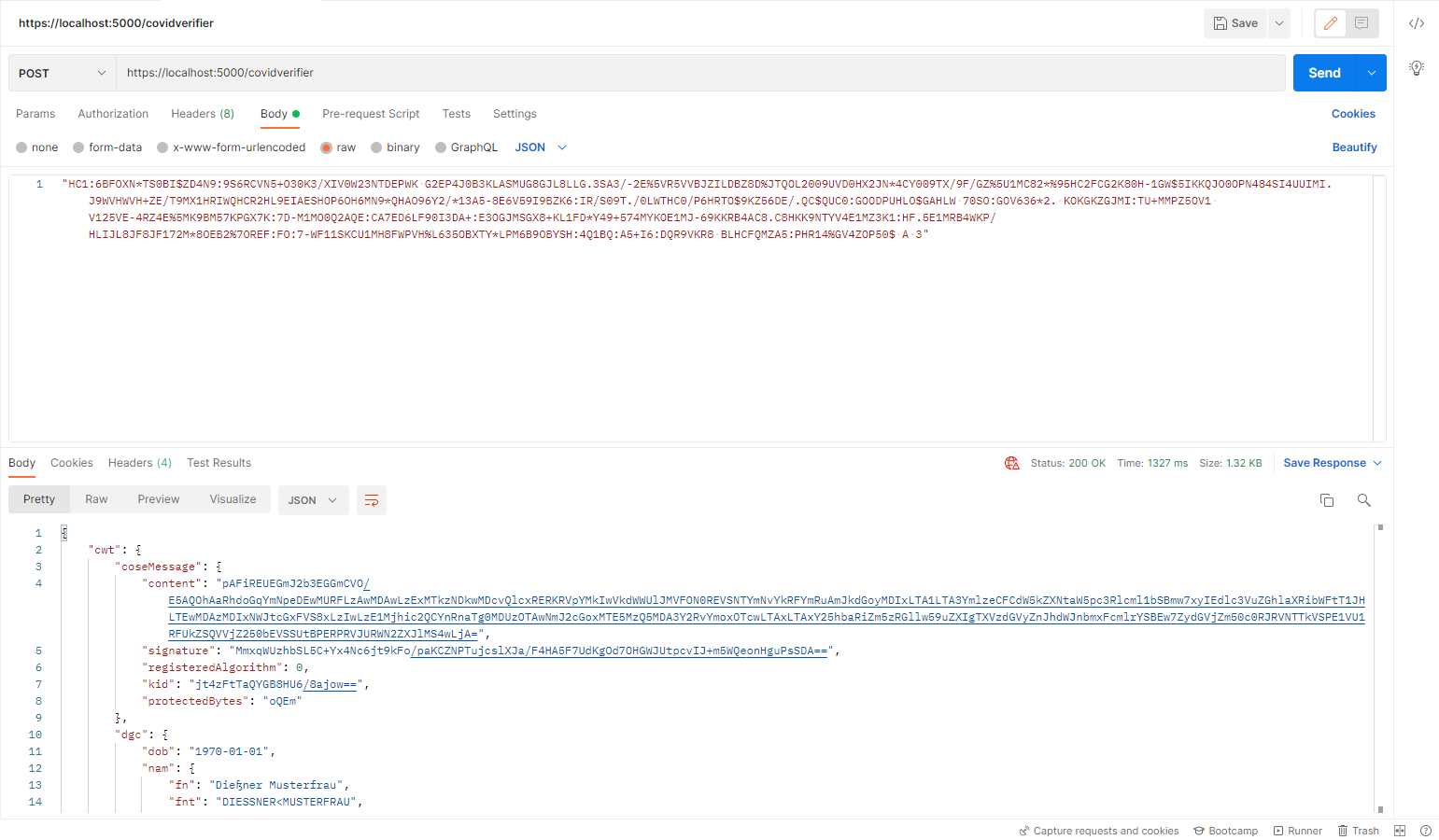
In general, users can use postman to send request to the API for specify response. A succesful request using postman will look like below
Dowload Postman
Verify covid cerificate
This section show how to send request todesigned API for verifying covpass
Url: https://site/covidverifier
Replace the "site" with the url to the webpage
Covid Certificate Text: The text from covpass QR-code
Can be obtained by using any QR-Scanner
API Keys: Custom API-Key for authentication
Can be founded in the General Information


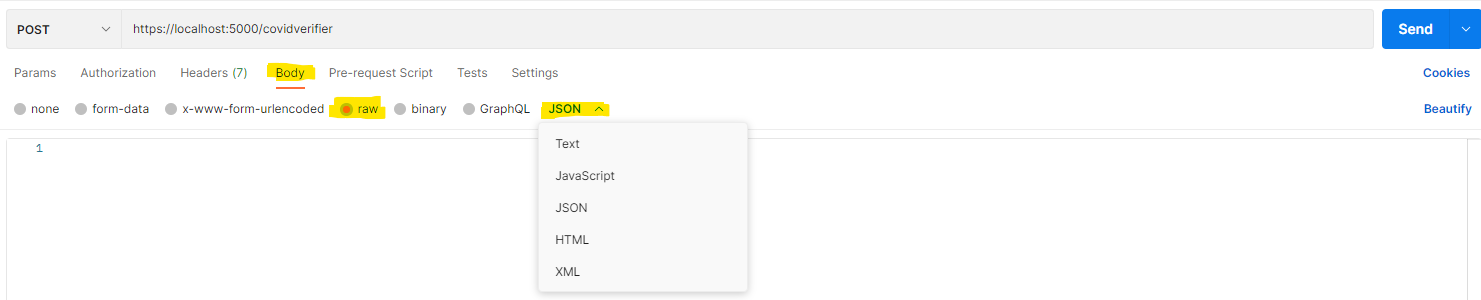
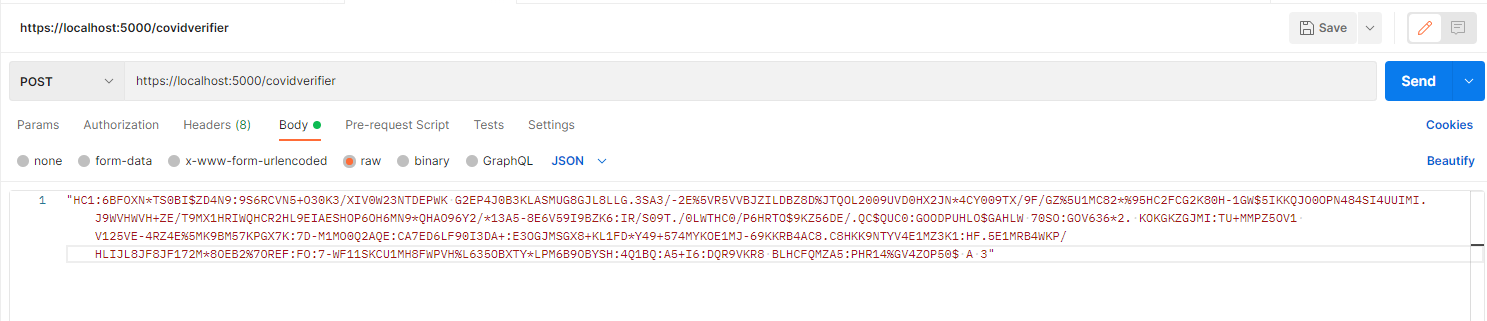

+ The first one is "cwt" which stand for "CBOR web token" and contains all information about the certificate like name, issuer, issue-time, expiration, etc.
+ The second one is "isValid" which confirm if the cov-pass is valid or not
+ In case the cov-pass is invalid the "Reason" show the proof why the cov-pass is invalid
Get Document Signer Certificates (DSCs)
Using the Postman user can also request the Dicument signer certificate for specify country
Url for query all dscs: https://site/covidverifier/dscs/all
Url for query all dscs from specify country: https://site/covidverifier/dscs/all/{countryname}
Replace the "site" with the url to the webpage
Covid Certificate Text: The text from covpass QR-codeCan be obtained by using any QR-Scanner
API Keys: Custom API-Key for authenticationCan be founded in the General Information


Verify covid cerificate
This section shows how to use C# to send a request to the designed API to verify the certificate
            HttpClient client = new HttpClient();
            client.DefaultRequestHeaders.Accept.Clear();
            client.DefaultRequestHeaders.Accept.Add(new MediaTypeWithQualityHeaderValue("application/json"));
            client.DefaultRequestHeaders.Add("ApiKey", "Your Key");

            var URL = "https//covidvalidator.website"; //replace with the correct URL
            client.BaseAddress = new System.Uri("URL");
            string qrString = "String from QR code";
            var jObj = JsonSerializer.Serialize(qrString);
            var content = new StringContent(jObj, Encoding.UTF8, "application/json");
            var response = await client.PostAsync("covidverifier", content);
            var responseString = await response.Content.ReadAsStringAsync();
Get Document signer certificates (DSCs)
This section shows how to use C# to send a request to the designed API to Get all DSCs or DSCs from specific country
            HttpClient client = new HttpClient();
            client.DefaultRequestHeaders.Accept.Clear();
            client.DefaultRequestHeaders.Accept.Add(new MediaTypeWithQualityHeaderValue("application/json"));
            client.DefaultRequestHeaders.Add("ApiKey", "Your Key");

            var URL = "https//covidvalidator.website"; //replace with the correct URL
            client.BaseAddress = new System.Uri("URL");
            // Get all DSCs
            var response = await client.GetAsync("covidverifier/dscs/all");
            var responseString = await response.Content.ReadAsStringAsync();
Or Get DSCs list from other country that are accepted by Germany:
            // Get DSCs from a country
            var country = "de"; // Use another country code such as fr if you want to get DSCs from France
            var response = await client.GetAsync($"covidverifier/dscs/{country}");
            var responseString = await response.Content.ReadAsStringAsync();